
NOA Talent Portal
More than just tests
NOA Talent Portal is an online platform for easy digital test and questionnaire management. It also lets you build and automate the full process around intake, selection, recruitment, or guidance.
Processes (NEW)
We call workflows on the platform “processes.” The portal supports the full process of test administration and gives you flexibility to set it up. Tasks that were often done on paper or by hand can be automated. For example, you can share documents and videos, ask candidates to upload a CV or motivation letter, request consent to view results, collect evaluation feedback, or ask for extra information.
Tasks (NEW)
A process is made of tasks. You pick which tasks belong to a process. Some tasks are for the candidate; others are for administrators.
Candidate tasks:
- Enter personal details
- Upload documents (CV, motivation letter)
- Read information (text, documents, videos)
- Take tests or questionnaires
- View or download results (report)
- Give permission to share results with the client
Administrator tasks:
- View and evaluate candidate documents
- Enter candidate details
- View candidate results
- Evaluate the candidate
You can add email tasks to send messages automatically. Tasks can be conditional (for example, based on a test score), mandatory or optional, and they can have a start date and a deadline.
Candidate Environment (NEW)
Candidates now get their own portal. From there they can start tasks and view their reports.
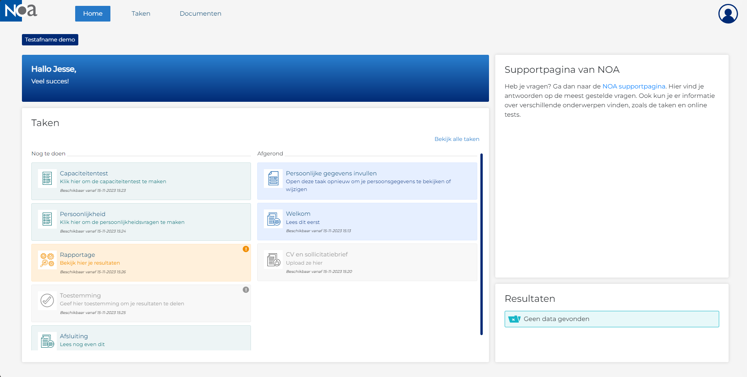
Administrators environment
Administrators see a clear dashboard to manage processes and candidates easily.
New feature: Candidate evaluation
You can now evaluate candidates with a questionnaire. An administrator or evaluator can record interview assessments or competency ratings directly in the portal.
Improved test administration
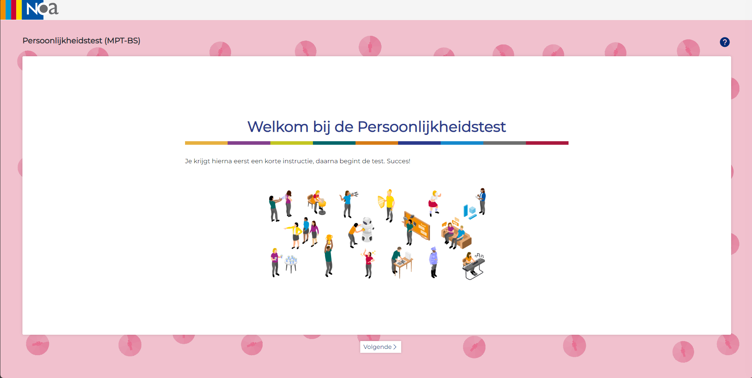
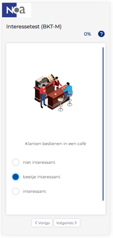
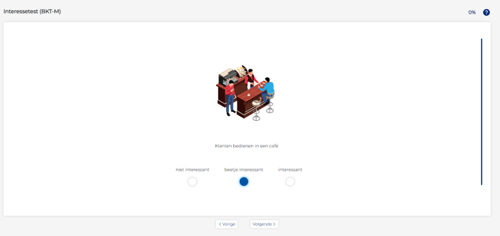
The test interface is more modern and intuitive. Tests can auto-advance to the next question and the layout makes long questionnaires easier to complete. You can also build adaptive tests to shorten test time. Many other test and report improvements were made. See Test Innovations for details.
For an example of the new report design, see Example report.
Responsiveness
NOA Talent Portal works on desktop, laptop, tablet, and smartphone. Tests can be taken on a phone, though some tests (for example capacity tests) are less suited for small screens. Contact us if you are unsure.
Example processes
Intake and guidance process MBO:
Candidate views education information in the NOA Talent Portal and fills in the MBO Startmeter at the start of the year. The candidate receives an email at the start of the second half of the year to fill in the Study Progress Meter. The candidate can compare Startmeter and Study Progress results and then discuss progress with a supervisor.
Vacancy selection process:
Candidate watches the company video and reads the conditions. The candidate fills in personal details and uploads a CV and motivation letter. The recruiter reviews the documents and accepts or rejects the candidate. Accepted candidates receive a capacity test and personality questionnaire. Candidates view their results and may give permission for the client to see them. The organization decides on interviews. After interviews, selectors complete a competence assessment and a hiring decision follows.
Main differences between NOA Online and NOA Talent Portal
- Responsive: Talent Portal works on tablets and phones; NOA Online does not.
- Interface: Test administration is more intuitive and engaging in Talent Portal.
- Candidate space: Talent Portal gives candidates their own environment to start tasks and view reports.
- Adaptive tests: Available in Talent Portal.
- Candidate evaluation: Built into Talent Portal; not available in NOA Online.
- Security: Talent Portal uses database separation and other security features.
- Structure: Talent Portal uses company > process group > process. NOA Online uses company > project.
- Roles and rights: Talent Portal offers specific admin roles and rights; NOA Online has none.
- Admin scope: A Talent Portal admin can manage multiple companies/departments/educations; NOA Online admins manage only one company.
- Customization: Processes can be created and customized by admins in Talent Portal; projects in NOA Online cannot be modified by admins.
- Personalization: Talent Portal offers many ways to personalize the candidate experience beyond a logo.


